Kwagi: Offline Study App for College Students
Android and iOS study app where notes become flashcards, reviews are scheduled by a spaced repetition system, and everything works with the phone offline.
- Education
- Mobile developer, data model through interface and release preparation
- Mobile
- In development
What problem does Kwagi solve?
Students revise on a phone in places with no reliable signal, between classes and on the commute. Most study apps assume an account, a network round trip and a subscription before the first card is reviewed, and the notes a student already wrote stay stranded in a separate app.
How does Kwagi work?
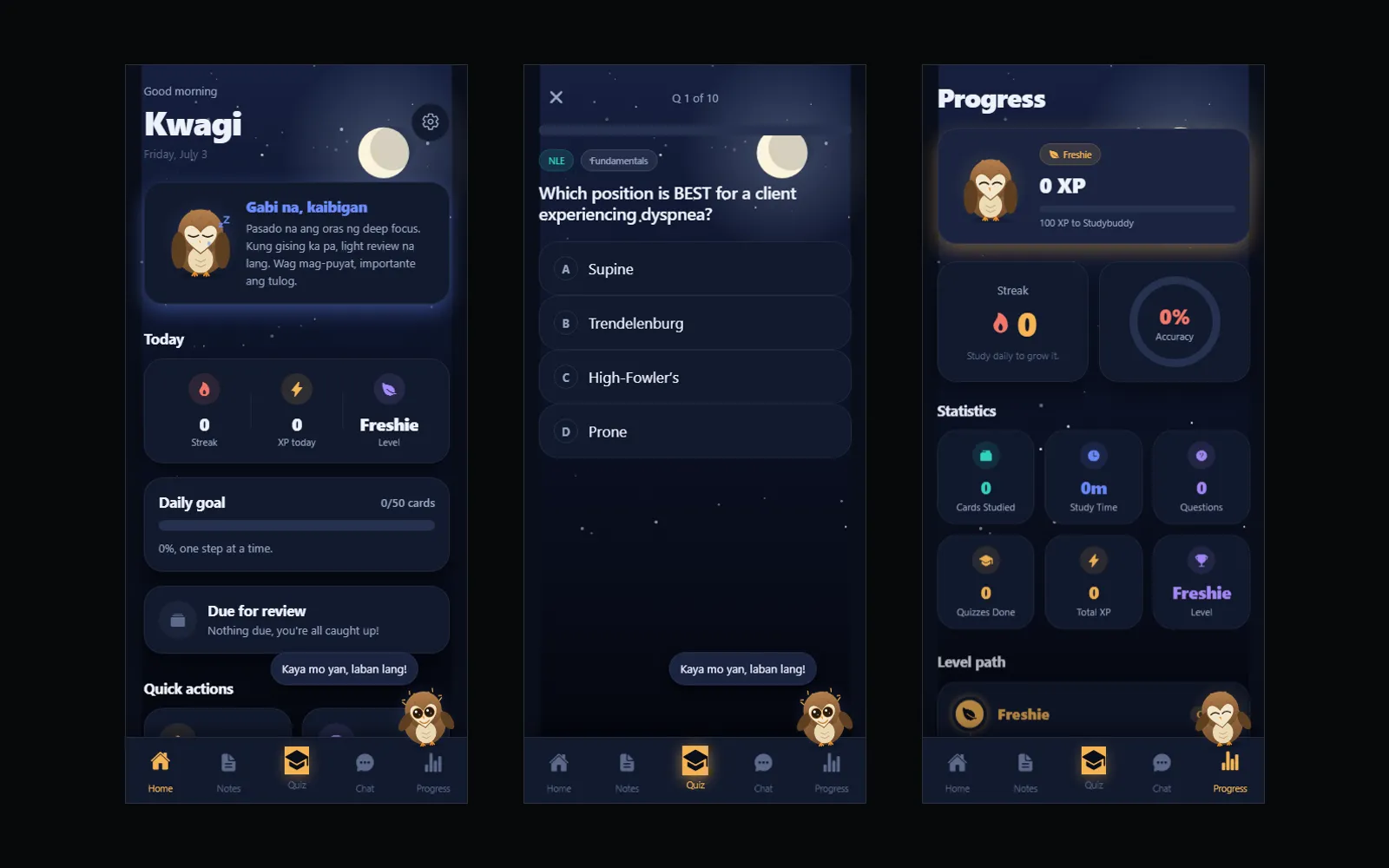
Kwagi keeps the whole study loop on the device. Notes are written in the app, structured lines become flashcards, due cards are scheduled by a spaced repetition system, quizzes are generated from the student's own cards, and progress is stored locally. There is no account, no network dependency and no paid tier in the current release.
Which architecture decisions shaped the build?
- SQLite on the device as the only store
- Study sessions happen on commutes and in classrooms with weak signal. With no server in the path, a review never fails because the network did.
- No accounts, analytics, ads or AI service in the first release
- Each one adds a privacy claim the app would have to keep. Shipping without them keeps the privacy policy short and true, and leaves sync as a later decision rather than an early dependency.
- Flashcards derived from structured note lines
- Students do not want to write their material twice. Deriving cards from notes they already wrote keeps one source and removes the dullest part of the work.
- Schema versions recorded and kept backward compatible
- A store update cannot ask a phone to downgrade. Migrations that only move forward protect study history that exists nowhere else.
Field notes from the build
Revision happens in the gaps. Ten minutes before a class, a jeepney ride, a corridor with one bar of signal. An app that needs to sign in and fetch before showing a card has already lost that window.
Kwagi closes the loop on the device. Notes, flashcards, review scheduling, quizzes and progress all live in one local SQLite database. Open it in airplane mode and nothing is missing.
Notes are the source, cards are the output
Students will not write their material twice. Structured lines in a note become flashcards, so the material has one home. Editing the note is editing the deck.
The scheduler decides what is due
Cards carry their own review state. The due queue is computed from that state rather than from a reminder calendar, so a missed day shifts the schedule instead of breaking it.
What the release deliberately does not have
No account system, no ads, no analytics, no payments, no cloud sync and no AI service. Each of those is a promise about someone’s data. Leaving them out keeps the privacy policy honest and keeps sync a later decision rather than an early dependency.
Evidence in the build
A mobile data model with versioned migrations, scheduling logic that holds up across sessions, and a release pipeline that runs lint, type checks, unit tests, Expo Doctor and clean Android, iOS and web exports before a build is considered a candidate. Store availability is not claimed here: a local build does not establish it.